
Integrate Tiketo Chat
Tiketo configures the chatbot; you connect it to your website.
Your Tiketo contact provides access and the staging and production client IDs. A client ID is public routing metadata, not a secret; examples use TC-XXXXXXXX.
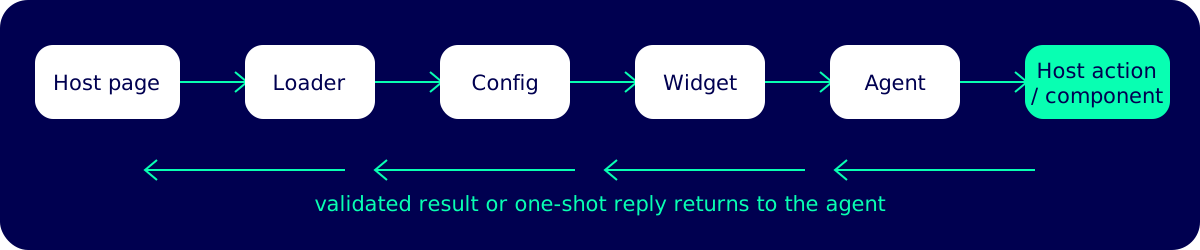
page → loader → config → widget → agent → host action/component → validated result or reply
Responsibilities
Section titled “Responsibilities”| Tiketo | Your development team |
|---|---|
| Configures and publishes the agent, workflows, knowledge base, client registry, allowed origins, and supported contracts. | Adds the loader and the ID for the matching environment. |
| Hosts the loader, pinned widget, configuration endpoint, and shared components. | Supplies non-sensitive page context and keeps it current in an SPA. |
| Gives you action/component names, schemas, and the minimum embed version enabled for your chatbot. | Implements the requested host action handlers/host component renderers and bumps pinned loaders for new contracts. |
Promotes tested embed versions to stable. |
Applies authorization, idempotency, accessible UI, and cleanup in host code. |
The agent can only call contracts enabled in its public configuration. Your page cannot add an unknown action or component by registering an arbitrary name.
Launch context is a snapshot. When the agent needs current SPA state later, it calls a supplied host action such as whereAmI.
Choose your next step
Section titled “Choose your next step”- New integration: follow the quickstart.
- Adding site behavior: read host actions.
- Rendering site-owned UI in chat: read components.
- Using React or an SPA: read the React guide.